SAFETY MANUAL
Disclaimer: YOU WILL NOT LEAVE UNCURED RESIN IN THE WORK AREA
1. Purpose of This Safety Manual
Section titled “1. Purpose of This Safety Manual”This document outlines the safety requirements for operating the Mercury 3.0 Plus wash and cure station in The Fab Lab. It focuses on:
- Hazards that can cause injury or damage
- Required PPE
- Emergency response procedures
2. Who May Use This Machine
Section titled “2. Who May Use This Machine”This machine may be used by:
- Fab Lab users who have read through the entirety of this document
Usage conditions:
- Staff must be present during the operation
- Users must follow all resin handling procedures
3. Primary Hazards
Section titled “3. Primary Hazards”Be aware of the following hazards:
-
IPA is flammable and produces harmful vapors
-
Uncured resin is toxic and can irritate skin/eyes
-
UV LEDs used for curing can damage eyes/skin
-
Risk of shock if liquid contacts electrical components
-
Spinning wash impeller and rotating cure platform
4. Required Personal Protective Equipment (PPE)
Section titled “4. Required Personal Protective Equipment (PPE)”The following PPE is required:
- Nitrile gloves (required)
- Safety glasses (recommended)
- Mask (optional)
5. General Safety Rules
Section titled “5. General Safety Rules”Always follow these rules:
- Never touch uncured resin with bare hands
- Never operate with the lid open during curing
- Keep liquids away from electrical components
- Do NOT reach into the machine while it is running
- Do not operate if unsure how to proceed
If resin or IPA contacts skin or eyes, follow manufacturer guidance:
- Rinse with water for at least 15 minutes
- Seek medical attention if irritation persists
6. Emergency Stop & Safety Features
Section titled “6. Emergency Stop & Safety Features”- Emergency Stop: No dedicated emergency stop button
- Power Disconnect: Use rear power switch or unplug
- Safety Cover: Must remain closed during curing
If an emergency occurs:
- Stop the process using controls
- Turn off power
- Notify Fab Lab staff immediately
7. Unsafe Conditions – Stop Immediately If:
Section titled “7. Unsafe Conditions – Stop Immediately If:”- Strong chemical odors or excessive fumes
- IPA spills near electronics
- Abnormal noise or vibration
- UV lights malfunction
- Cracks or leaks in wash container
8. Incident & Injury Response
Section titled “8. Incident & Injury Response”- Stop the machine
- Move to a safe distance
- Notify staff immediately
- Follow Fab Lab emergency procedures
9. Chemical & Material Safety
Section titled “9. Chemical & Material Safety”This machine uses:
- Isopropyl Alcohol (IPA)
- Uncured resin residue
Handling requirements:
- Never pour IPA or resin down the drain
- Dispose of solid resin waste in the trash
- Store IPA in sealed containers
Ventilation:
- Use in the designated resin area
- Keep the lid closed during operation
10. Acknowledgement
Section titled “10. Acknowledgement”By using this machine, you acknowledge that:
- You understand the hazards and risks
- You will follow all safety procedures
- You will ask for help when needed
End of Safety Manual
OPERATIONS MANUAL
Section titled “OPERATIONS MANUAL”11. What This Machine Is For
Section titled “11. What This Machine Is For”Use this machine to:
- Wash uncured resin from printed parts
- Cure prints using controlled UV exposure
12. What This Machine Is Not For
Section titled “12. What This Machine Is Not For”Do NOT use this machine for:
- Cleaning non-resin parts
- Heating, drying, or curing incompatible materials
13. What You Need Before You Start
Section titled “13. What You Need Before You Start”Before operating:
- Staff present
- PPE (gloves required)
- Printed part ready for post-processing
- Wash bucket filled with IPA
- Curing platform
- Part removed safely from build plate
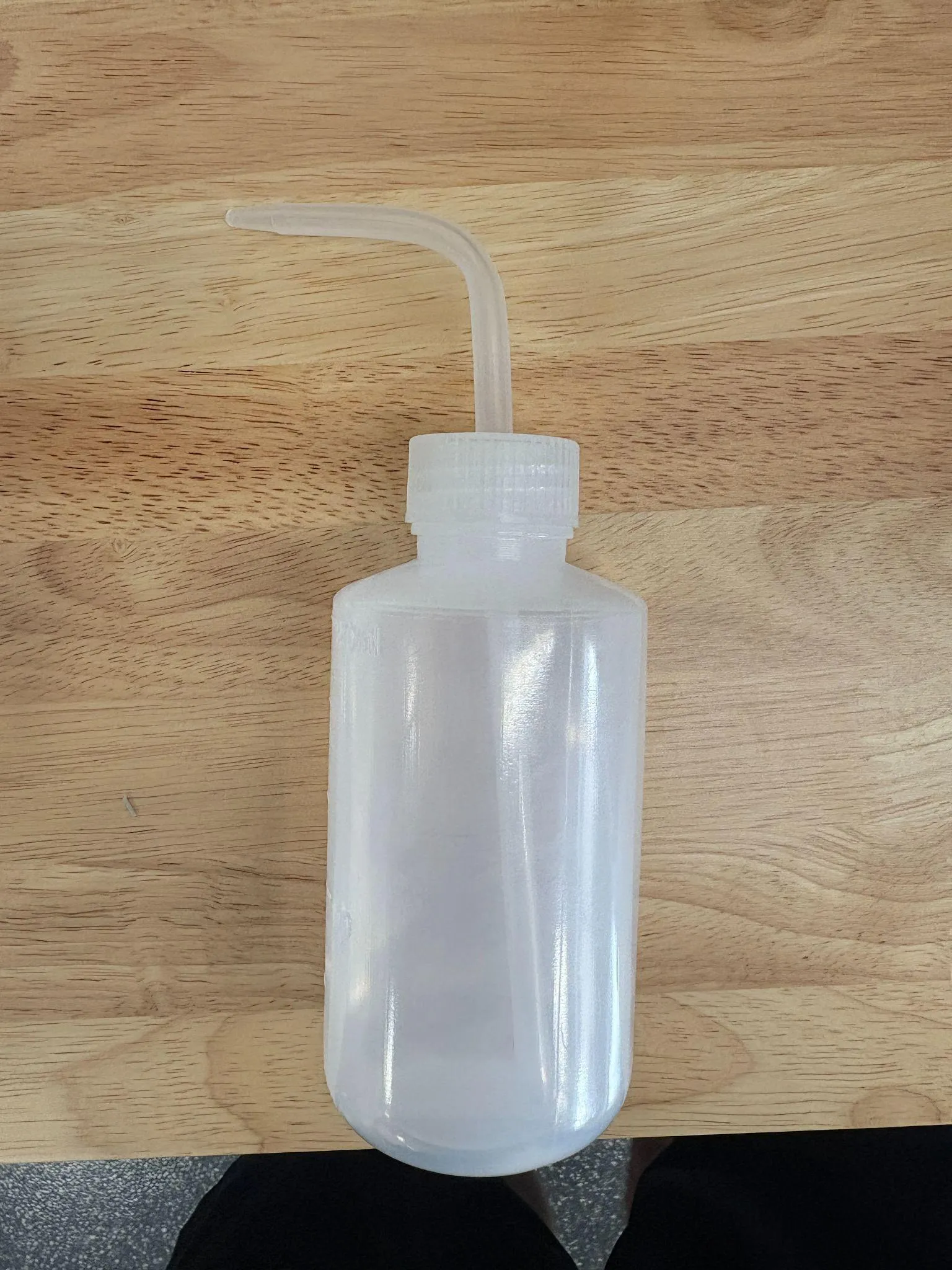
- Alcohol dispenser
14. Machine Overview
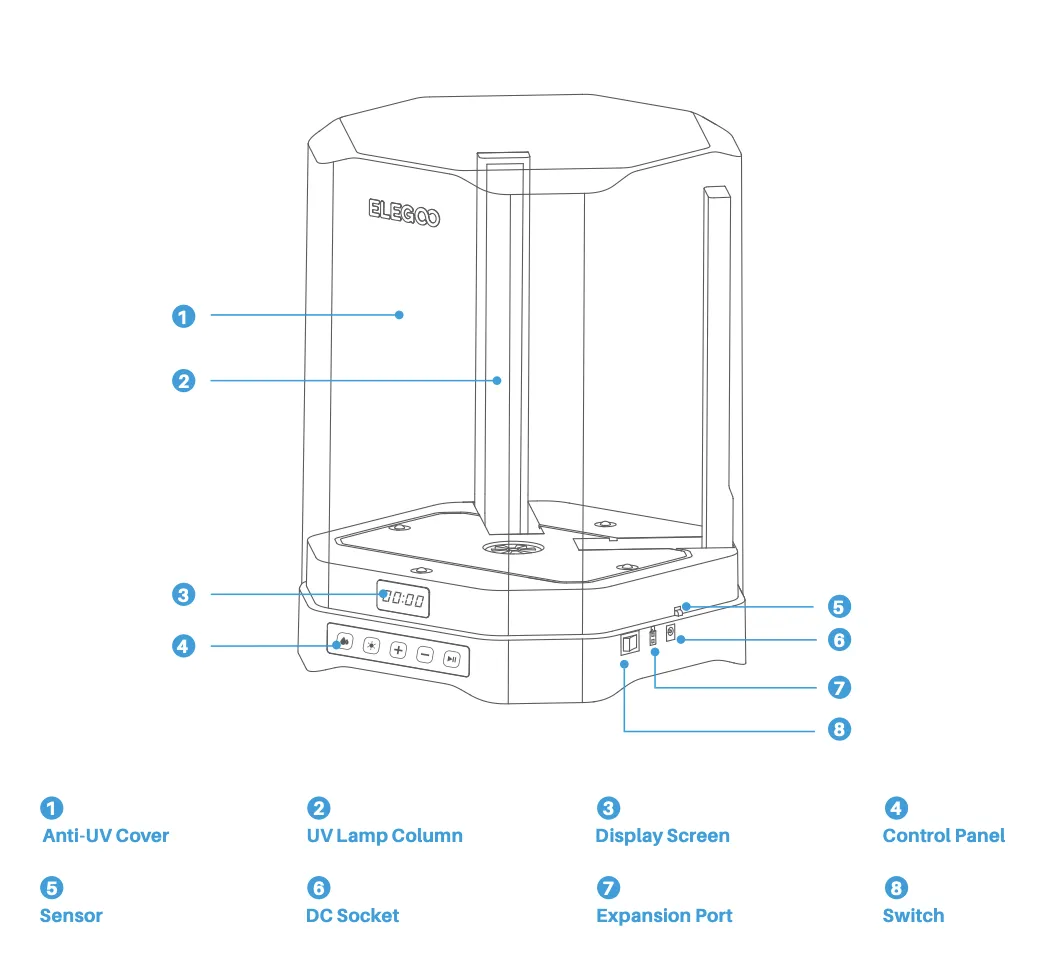
Section titled “14. Machine Overview”General Machine locations:
 |  |
|---|---|
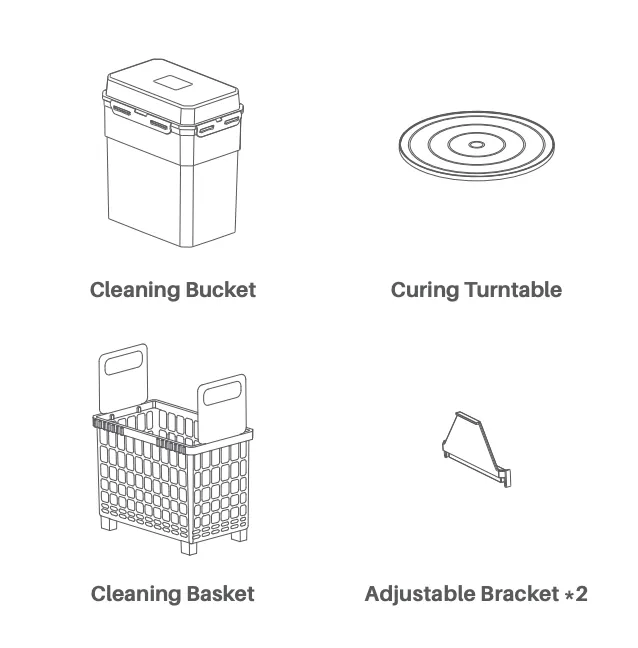
| Figure 1 | Figure 2 |
Key User Interaction Points
- Control Panel (Figure 1:4): Set wash and cure time
- Cleaning Bucket (Figure 2): Holds IPA and basket
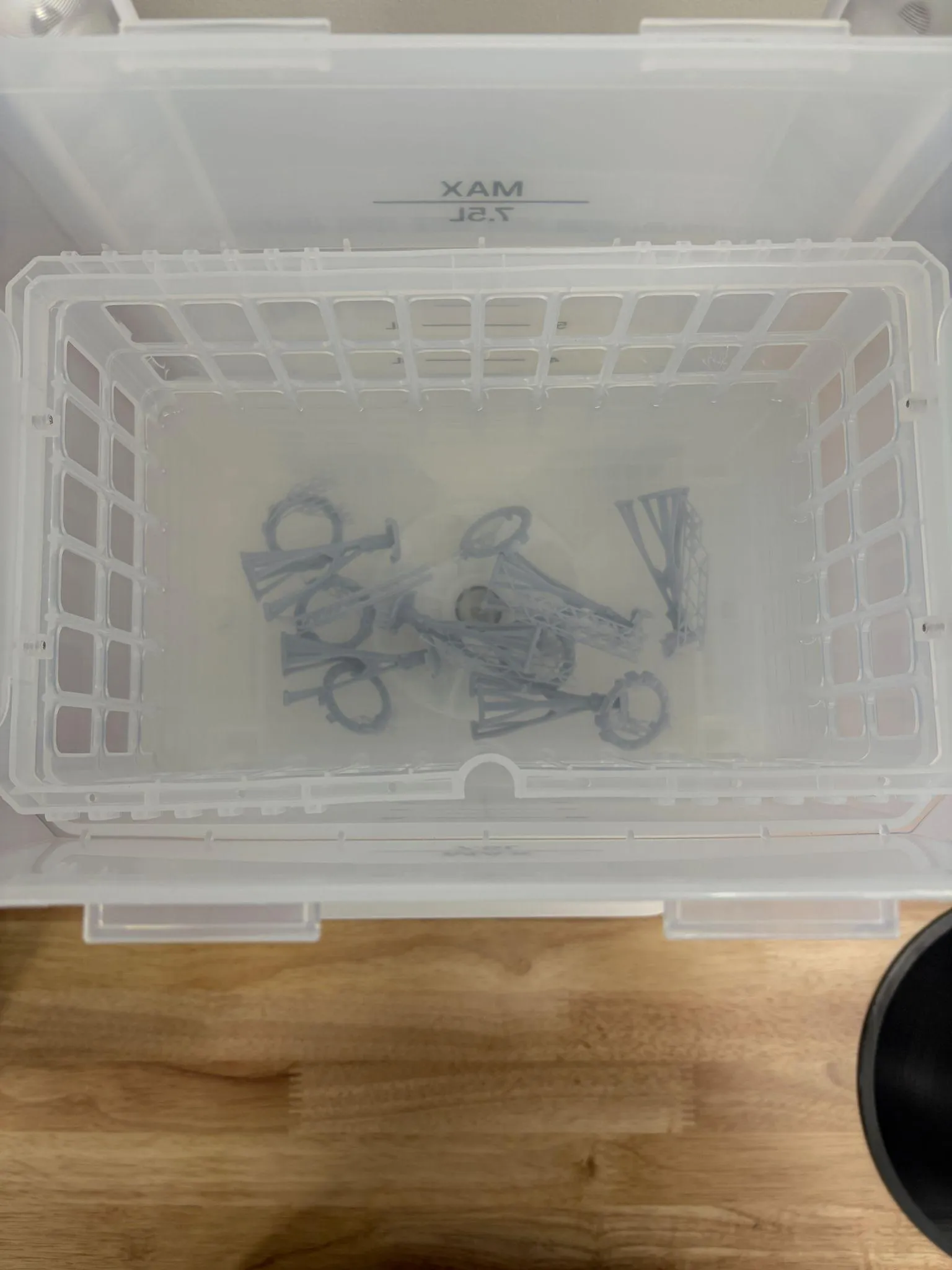
- Cleaning Basket (Figure 2): Holds parts during wash
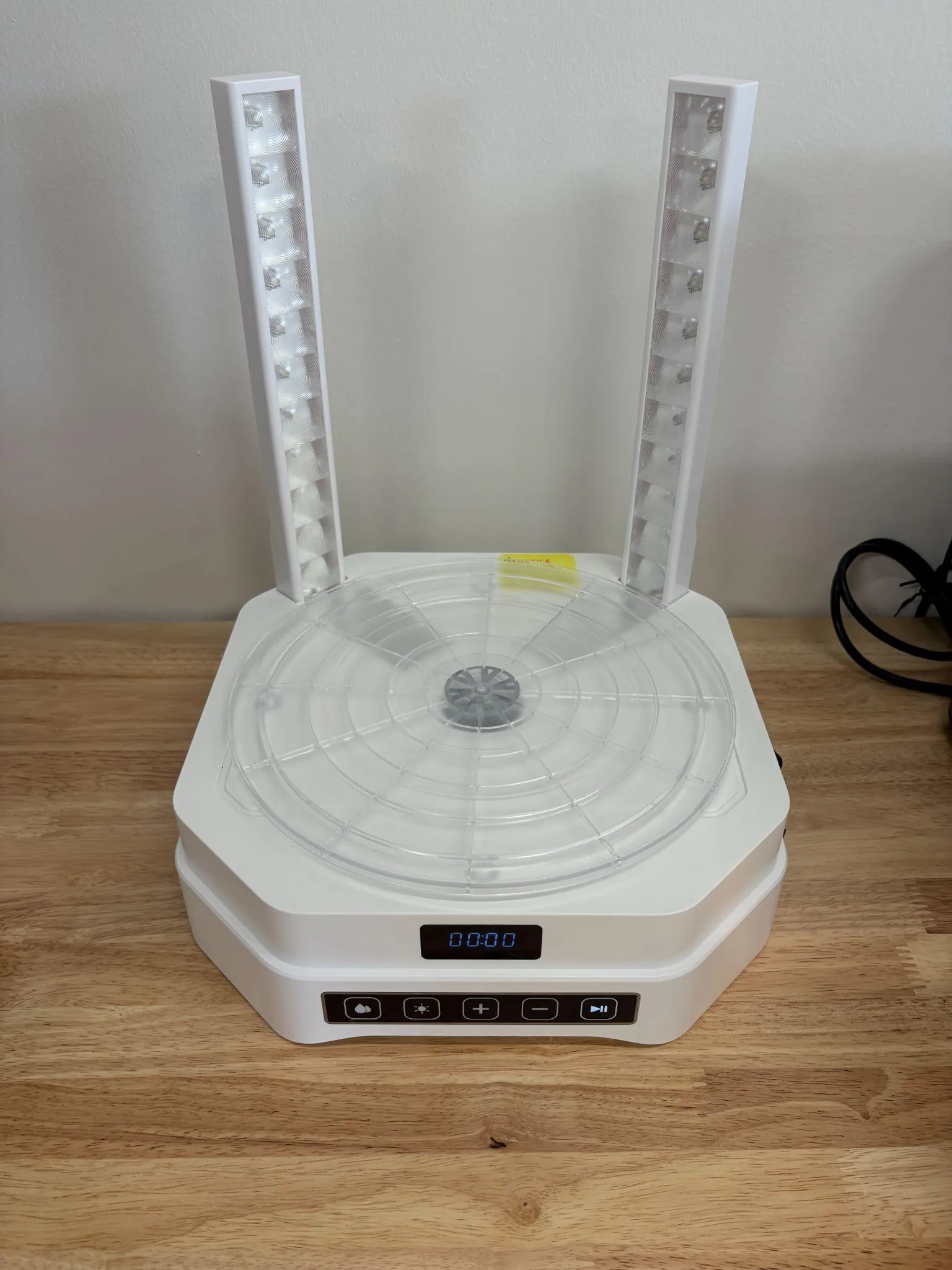
- Curing Turntable (Figure 2): Rotates for UV exposure
- Anti UV Cover (Figure 1:1): Must be closed during operation
Emergency Operation
- Stop using the controls or the power switch
- No dedicated emergency stop (consistent with printer)
15. Basic Operating Workflow
Section titled “15. Basic Operating Workflow”15.1 Pre-Processing (From Printer)
Section titled “15.1 Pre-Processing (From Printer)”- Remove print from build plate
- Allow excess resin to drip into vat
- Transfer part to wash station
** This is a 2-in-1 washing and curing machine. The following subheadings will be broken into two sections, one for washing and one for curing. **
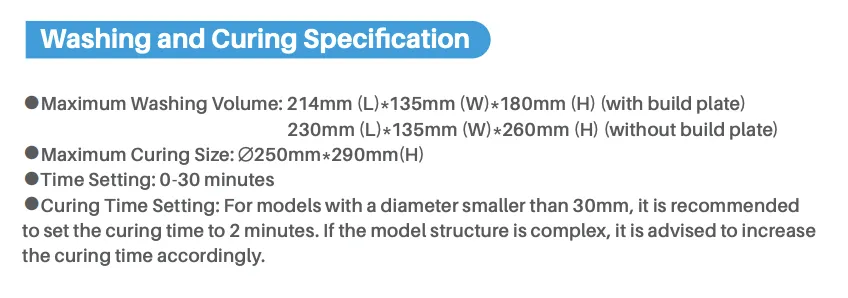
Figure 3
15.2 Washing Process
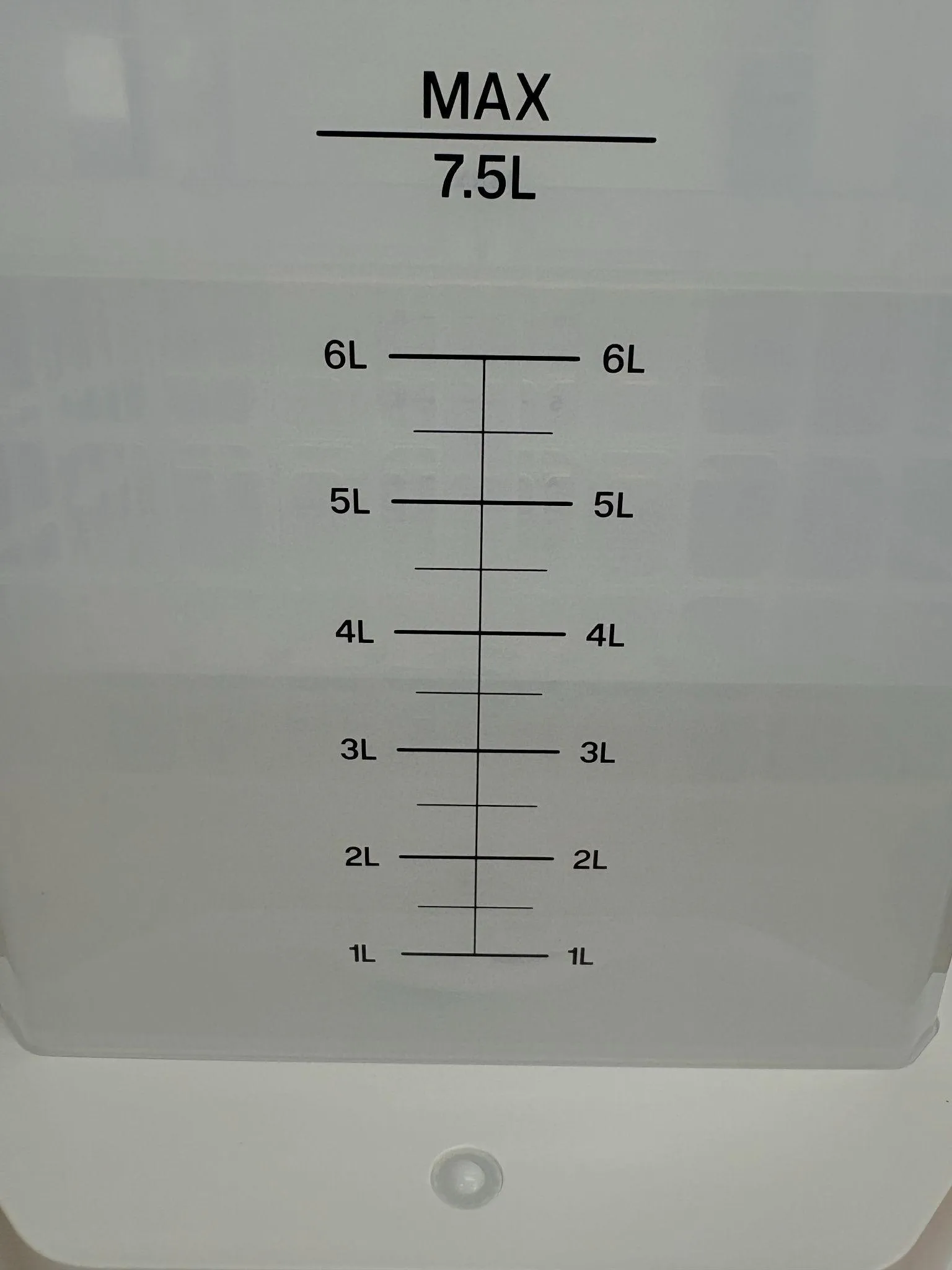
Section titled “15.2 Washing Process”- Fill container with IPA (within marked limits)
- Place part in the basket
- Close lid
- Set wash time (typically 2–5 minutes. View washing times in Figure 3 above)
- Start wash cycle
- Allow parts to fully clean
15.3 Drying
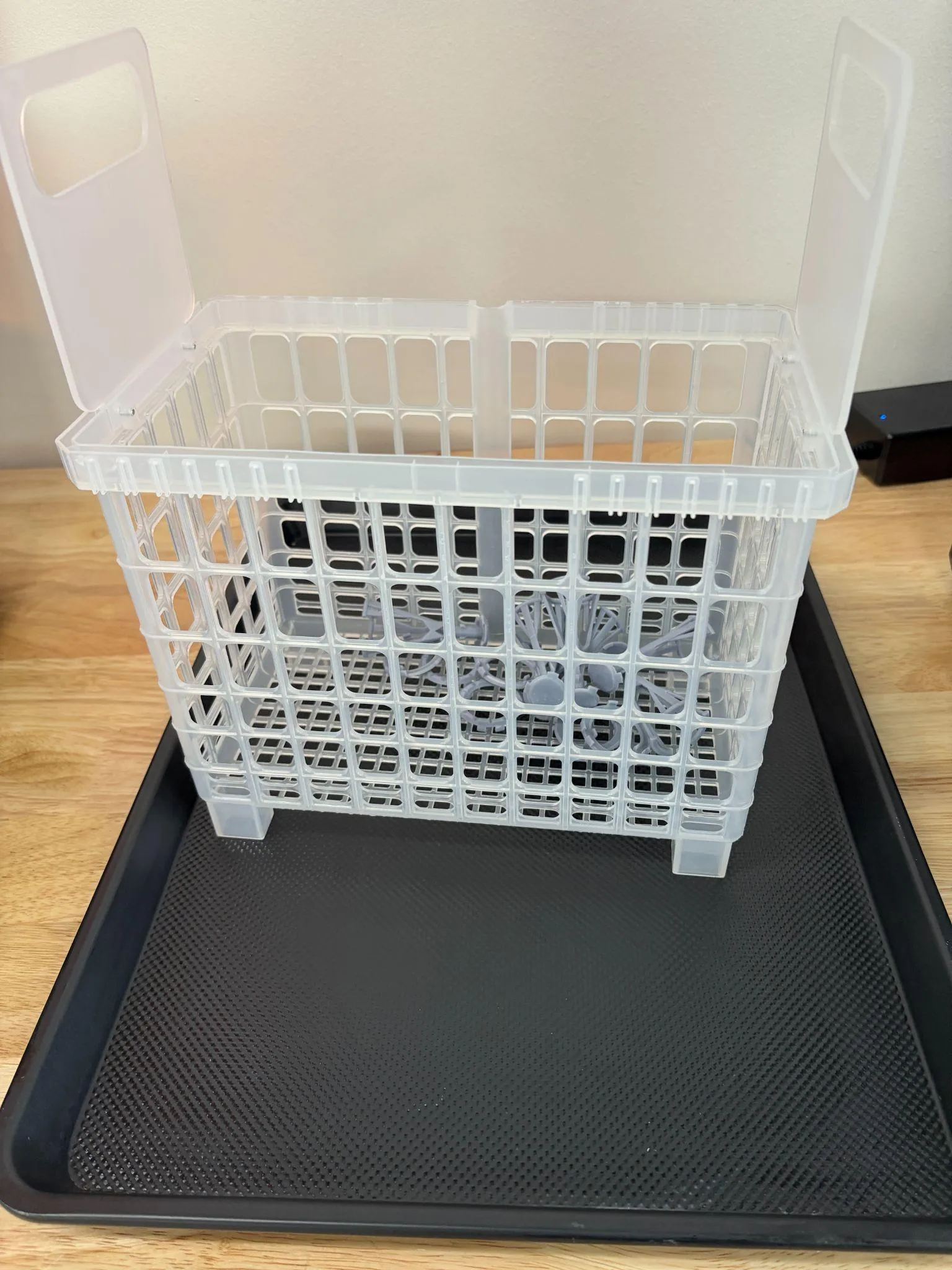
Section titled “15.3 Drying”- Place baking sheet on the table
- Take out the basket and place it on the sheet so that excess alcohol will drip on it
- Let IPA evaporate fully (air dry or fan)
- Remove parts when dry
- Wipe the sheet clean with a shop towel
15.4 Curing Process
Section titled “15.4 Curing Process”- Put the lid on the wash container and remove the container from the platform
- Place the curing platform on the machine
- Close lid completely
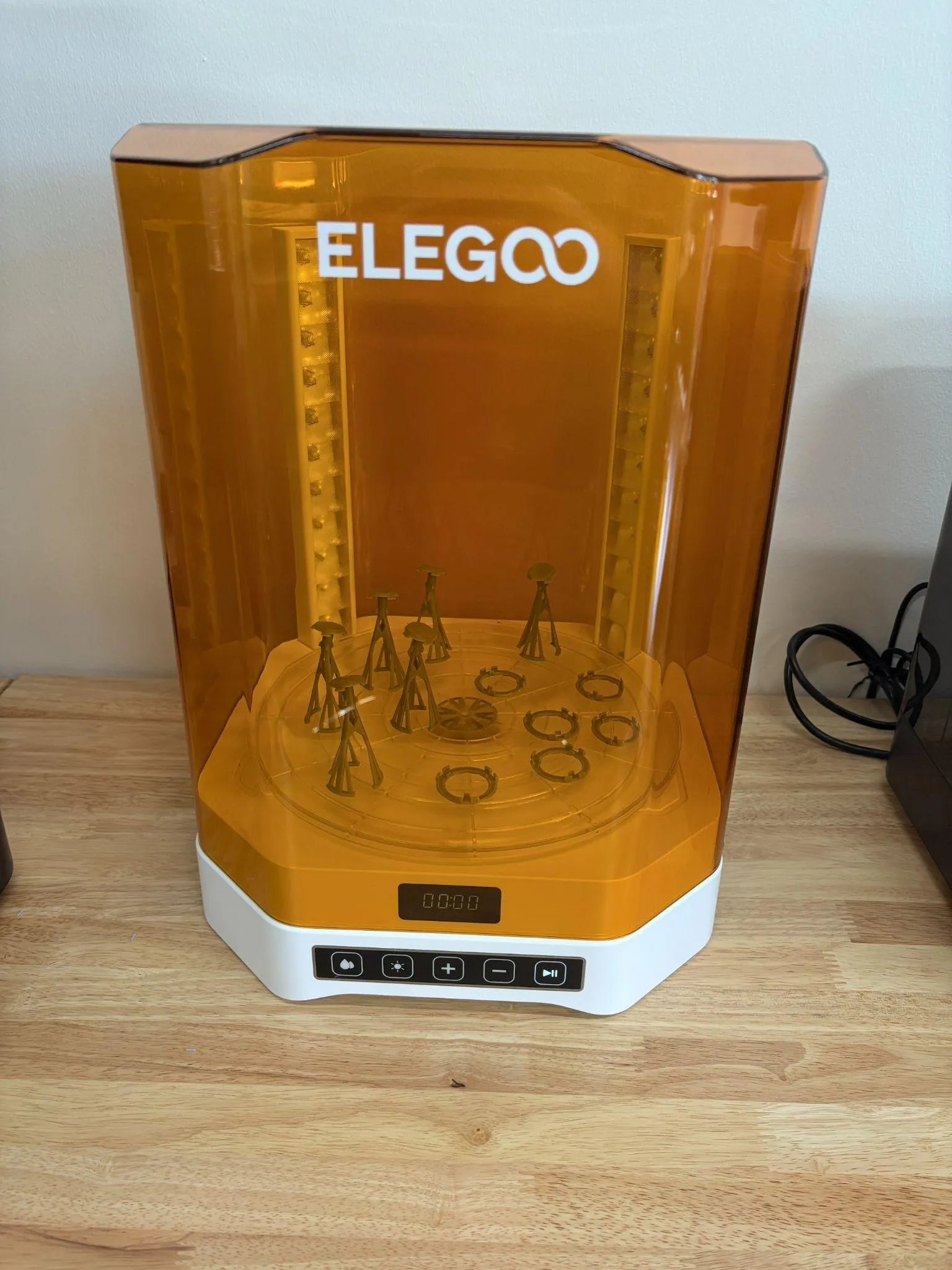
- Set curing time (typically 2–10 minutes, depending on part size. View Figure 3 above for cure times)
- Start curing cycle
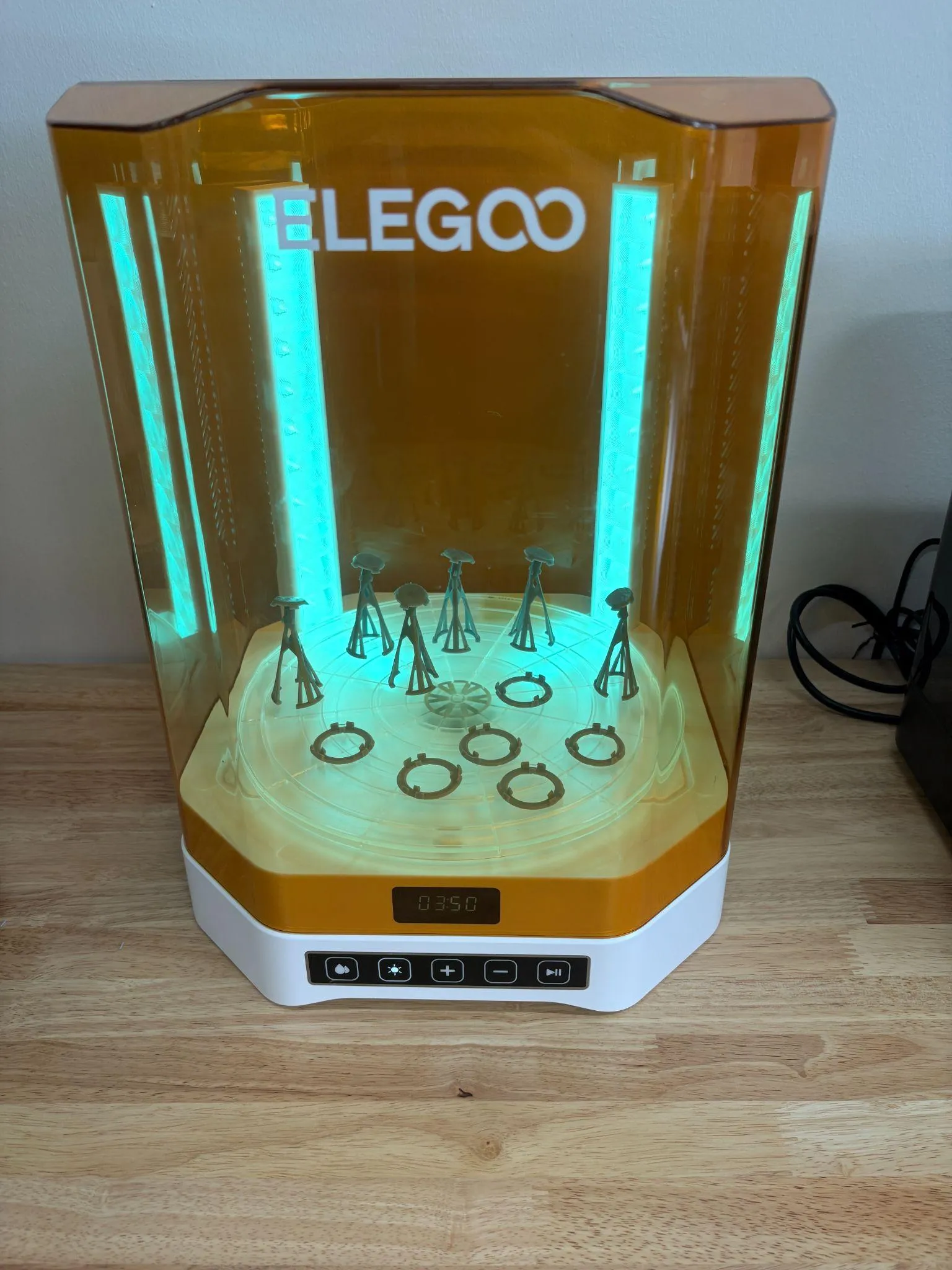
- Wait for curing cycle to finish
15.5 End-of-Job / Shutdown
Section titled “15.5 End-of-Job / Shutdown”- Remove finished part
- Inspect for completeness
- Replace the curing platform with the wash container
- Ensure lid is closed
- Turn off machine
16. User Responsibilities After Use
Section titled “16. User Responsibilities After Use”After using the machine, you are responsible for:
- Cleaning spills and work area with IPA
- Ensuring IPA container is sealed
- Disposing of IPA or Resin solid waste in the trash
- Reporting issues or damage
17. Stop Conditions
Section titled “17. Stop Conditions”Stop immediately and notify staff if:
- Machine makes unusual noise
- IPA leaks or spills internally
- UV lights fail or flicker
- Parts are not rotating or washing properly
18. Common Issues & What To Do
Section titled “18. Common Issues & What To Do”Issue: Parts still sticky after wash
Action: Increase wash time or replace IPA
Issue: White residue on parts
Action: Let part dry fully before curing
Issue: Uneven curing
Action: Reposition part or increase cure time
Issue: IPA becomes cloudy
Action: Replace IPA
19. External Resources
Section titled “19. External Resources”- Manufacturer Manual (Mercury 3.0 Plus): https://f00.psgsm.net/product/921685/mercury-3.0-plus.pdf
- Elegoo Printer Manuals: (Safety Manual, Operations Manual)
20. Questions or Help
Section titled “20. Questions or Help”If you have questions or need assistance at any point, ask a Fab Lab staff member. Staff are always present during operating hours.